
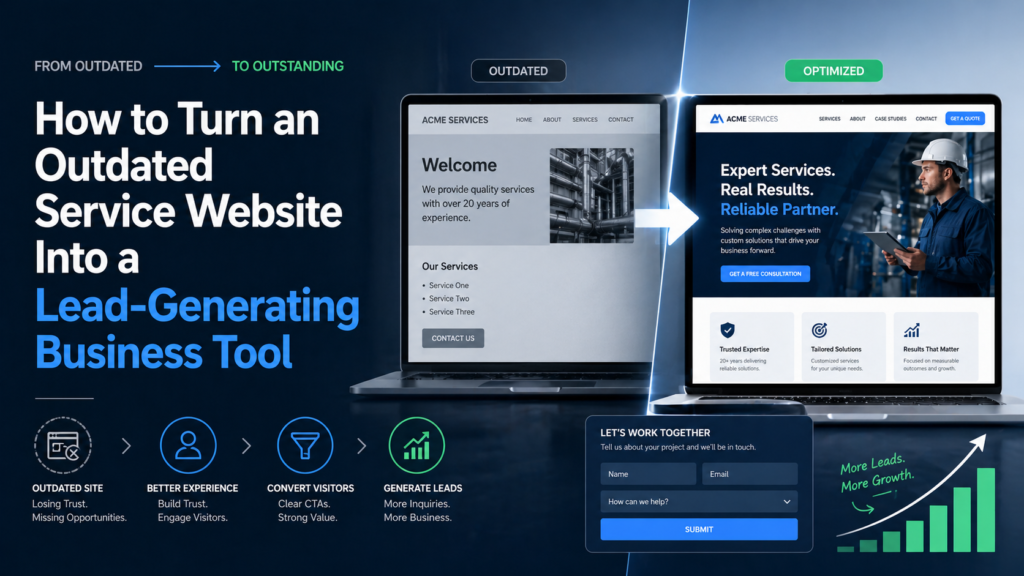
For many local service businesses, a website was originally created as a simple online brochure: a homepage, a short list of services, a phone number, a few images, and a contact page. At the time, that may have been enough. But customer expectations have changed. Today, people use a business website to decide whether they trust a company before they call, request a quote, or schedule a service. They want to understand what the business does, where it works, how experienced it is, what the process looks like, and how easy it is to get help.
If a website is outdated, confusing, slow, or difficult to use on a phone, it can quietly reduce the number of leads a business receives. The good news is that an outdated website does not always need to be replaced with a complicated custom build. For many service businesses, the smarter goal is to turn the existing site into a clearer, more modern, more useful business tool by improving structure, trust, mobile experience, calls to action, and the way the site helps visitors move from interest to inquiry.
A Lead-Generating Website Starts With Clarity
The first job of a service business website is to make the business easy to understand.
When visitors arrive, they should quickly know what services are offered, who the business helps, where it operates, and what step they should take next. If they have to search too hard for basic information, they may leave.
Many outdated websites fail because they are too vague. They may use general phrases like “professional services” or “quality solutions” without explaining the specific problems the company solves. They may list services without describing them. They may include a contact form but give visitors little reason to use it.
A lead-generating website should be direct. It should answer practical customer questions and guide people toward action.
For a service business, clarity often matters more than visual complexity. A simple website with clear service pages, visible contact options, and strong trust signals can perform better than a visually impressive site that leaves visitors confused.
Make the Homepage Work Like a Starting Point
The homepage should not try to say everything. Its job is to orient the visitor.
A strong homepage explains the business quickly, highlights the main services, shows credibility, and points visitors to the next step. It should make it easy for someone to decide whether they are in the right place.
For a local service business, the homepage should usually make three things clear: what the company does, where it provides services, and how to contact the team.
Many outdated websites bury this information too far down the page. A visitor may have to scroll through generic text before finding the service list or contact information. That creates friction.
A better homepage places the most important information where people can see it quickly. It introduces the business, supports the message with proof, and gives visitors a clear path to service pages, quote requests, or contact options.
The homepage should feel like a helpful guide, not a wall of information.
Build Stronger Service Pages
Service pages are one of the most important parts of a lead-generating website.
Many older service websites have only one general services page. It may list several offerings in a few lines, but it does not give visitors enough detail to feel confident. This can be a problem because customers often search for specific services, not broad company descriptions.
A stronger website gives important services their own pages. Each page can explain what the service includes, when someone might need it, what the process looks like, what information the customer should prepare, and how to request a quote.
This is especially useful for technical or specialized service businesses. If customers do not fully understand the service, the website should make it easier for them. Clear service pages can reduce confusion and help visitors feel more comfortable contacting the company.
Better service pages can also support search visibility. When each service has a dedicated page, the website has more opportunities to match the specific terms people search for.
The goal is not to make the site complicated. The goal is to make each service easier to understand and easier to request.
Use Trust Signals Throughout the Website
People usually do not contact a service business only because the website looks nice. They contact the business because they trust it enough to take the next step.
Trust signals are the details that help visitors feel more confident. These can include customer testimonials, project examples, years of experience, certifications, licenses, professional photos, service area details, clear contact information, and a simple explanation of the process.
On outdated websites, trust signals are often missing or placed too far away from the decision point. A testimonial may be hidden on a separate page. Project photos may be outdated. Credentials may be mentioned only once. The contact page may feel too bare.
A better website places trust signals where they matter.
A service page can include a relevant testimonial. A quote request section can mention response time. A homepage can highlight experience or local expertise. A project gallery can show recent work. A contact page can explain what happens after someone submits a form.
Trust should not feel like an afterthought. It should be part of the full website experience.
Improve the Mobile Experience
For local service businesses, mobile experience is critical.
Many potential customers search from their phones while comparing companies, checking service areas, or trying to contact someone quickly. If the website is hard to read or navigate on mobile, the business may lose the lead.
An outdated mobile website can create small frustrations that add up quickly. Text may be too small. Buttons may be hard to tap. The menu may be difficult to use. Forms may feel too long. Contact information may not be visible. Pages may load slowly or display awkwardly.
A lead-generating mobile experience should feel simple. Visitors should be able to understand the business, view services, read proof, and contact the company without effort.
This does not mean every mobile site needs advanced features. It means the basics must work well. Phone numbers should be easy to tap. Forms should be short. Buttons should be visible. Content should be readable. Important information should appear in a logical order.
A modern platform like Wix can help service businesses create and manage a more mobile-friendly website. For companies with older sites, moving to a better platform can be an opportunity to rethink the mobile journey, not just refresh the design.
Make Calls to Action Clear and Specific
A call to action tells visitors what to do next. On a service website, this usually means calling, requesting a quote, booking a consultation, or sending a message.
Many outdated websites use weak or unclear calls to action. A button may say “Submit” instead of “Request a Quote.” A contact link may be hidden in the menu. A phone number may appear only in the footer. A visitor may understand the service but not know what step to take next.
A lead-generating website should make action obvious.
The best calls to action are specific to the business and the customer’s intent. A surveying company might use “Request a Survey Quote.” A contractor might use “Schedule an Estimate.” A consultant might use “Book a Consultation.” A repair company might use “Request Service.”
The language should reduce uncertainty. Visitors should know what will happen after they click.
Calls to action should also appear in the right places. They should be visible near service descriptions, after trust-building sections, on the homepage, and on the contact page. The website should guide people toward action without feeling pushy.
Turn the Contact Page Into a Conversion Page
A contact page should do more than display a form.
By the time someone reaches the contact page, they may be close to taking action. The page should make that decision easier. It should feel trustworthy, clear, and simple.
An outdated contact page may include only a form with several fields and no explanation. That can make visitors hesitate. They may wonder how quickly the business will respond, what information they should include, or whether the form actually goes anywhere.
A stronger contact page explains the next step. It can mention expected response time, service areas, phone and email options, office location, business hours, and what kind of information helps the team provide a quote.
The form itself should be easy to complete. Asking for too much information too soon can reduce submissions. For many service businesses, a name, contact details, service type, location, and short message are enough to start.
A good contact page should make the visitor feel that reaching out is simple and worthwhile.
Modernize Without Losing What Already Works
An outdated website may still have valuable assets. It may have useful service descriptions, established pages, local search relevance, customer-facing content, or images that still support the brand.
Modernizing a website does not always mean throwing everything away.
In many cases, the better approach is to keep what works and improve what does not. A business can preserve important content while improving page structure, design, mobile usability, calls to action, and trust signals.
This is where website migration can make sense. Instead of starting completely from zero, a business can move existing content to a more flexible platform and use the process as a strategic upgrade.
The goal is not simply to move the site. The goal is to make the website work better for the business.
Make the Website Easier to Manage
A lead-generating website should stay current.
If a business cannot easily update its website, the site often becomes outdated again. New services are not added. Old photos remain in place. Testimonials are not updated. Service areas are not expanded. Blog posts or announcements never get published.
This is one reason many service businesses consider moving to platforms like Wix. Easier editing gives the business more control after the redesign or migration is complete.
A business owner or team member should be able to update basic content without waiting weeks for a technical change. That does not eliminate the value of professional web design or development support, but it does make the site more practical for daily business needs.
A website that is easier to manage is more likely to remain accurate, useful, and active.
For local service businesses, that can directly affect trust. A current website makes the business feel more responsive and reliable.
Getting Help With the Move
Migrating a business website to Wix can be simple, but it still requires planning. Service pages, contact forms, images, SEO titles, redirects, and mobile layouts all need attention. For businesses moving from an older website builder, Weebly-to-Wix.com offers a specialized Weebly to Wix migration service that can help transfer the site more carefully and turn the migration into a real website upgrade.
A good migration should not only copy the old website into a new platform. It should improve the structure, make the site easier to manage, protect important content, and create a better experience for visitors who are ready to contact the business.
Use Content to Support Customer Decisions
A service website can generate more leads when it helps customers make decisions.
This is where content becomes important. Helpful content can explain services, answer common questions, describe the process, compare options, and prepare customers before they contact the business.
For example, a surveying business might explain when a property survey is needed, what information a client should provide, or how different types of surveys are used. A contractor might explain how estimates work. An inspection company might describe what customers should expect during an appointment.
This type of content builds trust because it shows expertise. It also reduces friction because visitors feel more informed.
A blog, FAQ section, resource page, or expanded service content can all support lead generation. The goal is not to publish content just for the sake of publishing. The goal is to answer the questions that prevent people from taking action.
A modern website platform makes this easier by allowing the business to add and organize useful content over time.
Measure What Happens After the Update
Turning an outdated website into a lead-generating tool is not only about launching a new design. It is also about paying attention to what happens afterward.
A business should track whether more people are submitting forms, calling, visiting key service pages, or using quote request buttons. It should also pay attention to which pages perform well and which ones may need improvement.
This helps the website keep improving.
If many people visit a service page but do not contact the business, the page may need stronger proof or a clearer call to action. If visitors reach the contact page but do not submit the form, the form may be too long or unclear. If mobile visitors leave quickly, the mobile experience may need more work.
A website should not be treated as finished forever. It should evolve as the business learns more about its customers.
A Better Website Can Become a Better Business Tool
An outdated service website is not just a design problem. It can be a business problem.
If visitors cannot understand your services, trust your company, use the site on mobile, or take action easily, the website may be costing you leads. But with the right improvements, the same website can become a stronger tool for communication, credibility, and customer inquiries.
The most effective updates focus on clarity, service structure, trust signals, mobile usability, calls to action, contact experience, and easier management. A platform like Wix can make these improvements more practical for many local service businesses, especially when the current site is difficult to update or no longer supports growth.
A website does not need to be flashy to generate leads. It needs to be clear, current, trustworthy, and easy to use.